DongDong · Product update
DongDong 1.2 Update: Your Workout. Your Voice.
October 18, 2026 · 4 min read

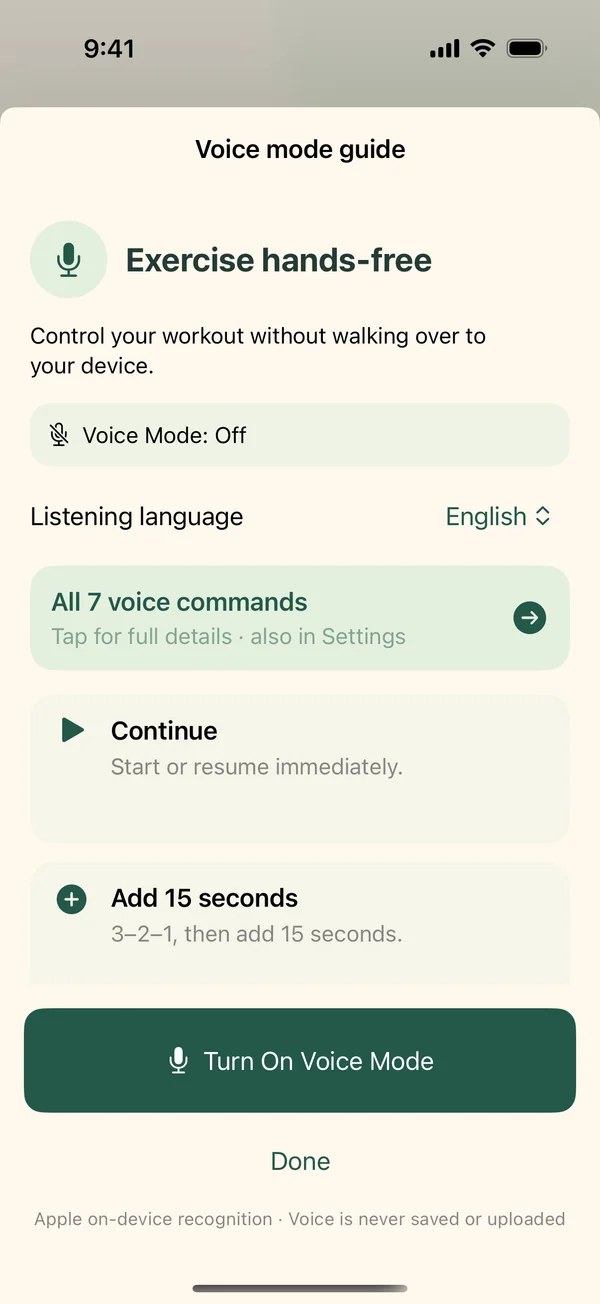
When you are already in position for an exercise, reaching for an iPad can break your rhythm. DongDong 1.2 adds another way to move through a workout: say what you want to do, in English or Mandarin, and keep your hands free.
Your workout. Your voice.
Voice Mode is an optional control for the workout player. It is separate from the coach’s spoken instructions. You can hear the coach without turning on voice recognition, and all the familiar touch controls remain available.
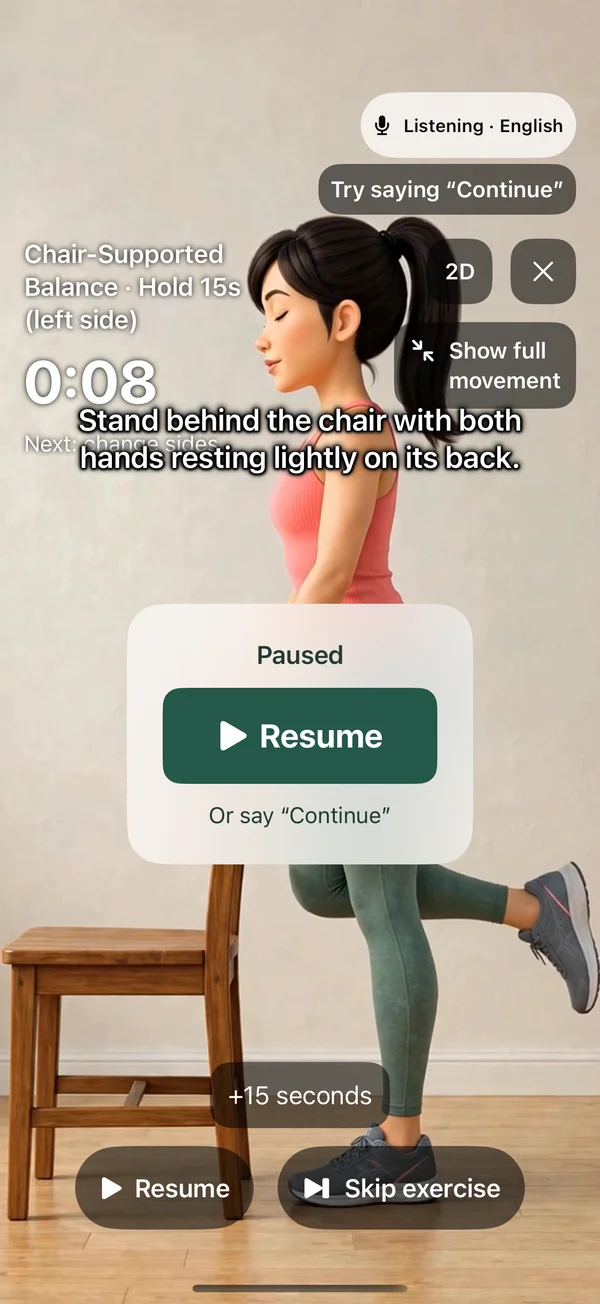
To try it in 1.2, open the voice guide during your first workout, choose English or Mandarin, and turn Voice Mode on. Allow the requested permissions and wait for Listening. The first voice-enabled workout stays paused while you try saying Continue; you can also tap the large Resume button. You can find the guide and command reference again in Settings.
Simple commands, with time to change your mind
Continue starts or resumes immediately. Pause pauses immediately during normal playback. Next, Previous, Add 15 seconds and Reset show a clear three-second confirmation before they take effect. Next and Previous start the selected step automatically after confirmation; Reset restarts the current step.
During that 3–2–1 countdown, saying Cancel or Pause cancels the pending action and restores the previous playing or paused state. If your workout was playing, it keeps playing after the cancellation. There is also a touch Cancel action button.
Mandarin commands include 继续、暂停、下一步、上一步、加十五秒、重置 and 取消. Choose the language you intend to use; voice recognition listens in the selected language.
More variety, without losing today’s plan
Suitable routines and exercise combinations rotate with more preference for options you have not used recently. Equipment, intensity and session length still matter. Repeats remain possible when fewer alternatives fit, and an already saved workout does not change when you reopen or update the app. Choose Another workout when you want a different selection.
Private, on-device voice control
Speech is processed on your device using Apple’s built-in recognition. DongDong does not save recordings, collect voice data or upload your speech. Apple language models may need an initial download; there is no server-recognition fallback. Touch controls remain available on unsupported devices.
Voice Mode starts off. The app has no account, ads or tracking, and preferences and progress stay on your device. Recorded coaching and exercise demonstrations are bundled for offline use.
The viewing choices you already know
The 1.1 improvements remain: 3D video or 2D drawings, full-screen or regular playback, saved display preferences, movie-style captions and floating controls. Version 1.2 also makes pausing and resuming easier, with a large centered Resume button and improved coaching continuity.
Read the 1.2 voice setup and commands · Privacy policy · Check the App Store
Pricing note: The US app price is planned to increase to $1.99 in November 2026. The exact day has not been announced. Check the App Store for the current price in your region.
DongDong provides general exercises for adults. Its workouts have not been reviewed by a qualified exercise professional, physiotherapist or doctor. Read the precautions in the app and on the support page before starting.